Mobile development workspace
A phone-sized interface to a real development environment, backed by isolated execution.
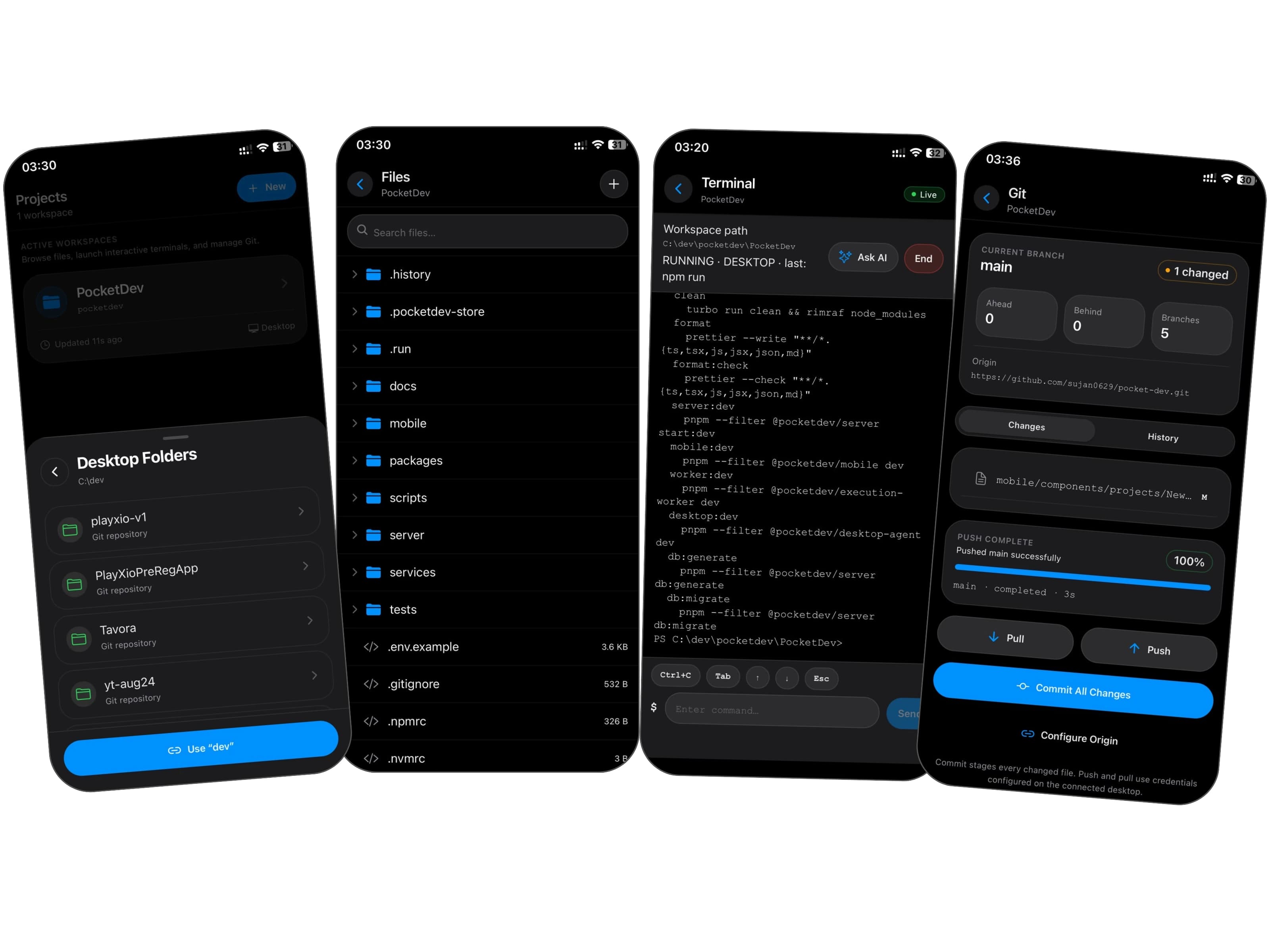
Real terminal sessions rather than one-shot command output.
A CLI agent replicates local project changes.
A hardened worker reconciles through Redis without direct database access.
The challenge.
A mobile device can access a server, but a useful development workflow also needs workspace sync, file editing, and a real interactive terminal.
The workspace connects those pieces while separating execution workers from application data. The completed mobile implementation lives on the feature branch; the main-branch README is older.
The boundaries.
- Preserve real PTY terminal semantics over a mobile connection.
- Delta-sync local workspaces through a CLI agent.
- Route execution to the developer’s desktop when online, or a cloud VM otherwise.
- Keep the execution worker isolated from database access.
How it fits
together.
A CLI agent syncs file changes to the backend. The Expo client browses and edits files and opens real PTY sessions in hardened containers. Workers reconcile through Redis pub/sub. Container controls include limited Linux capabilities, no-new-privileges, cgroup limits, and optional gVisor.
View source codeThe decisions
behind the details.
A separate execution worker
Commands and container lifecycles should not need application database credentials.
TradeoffRedis events become an explicit reconciliation boundary.
Sync changes, not whole projects
A CLI delta-sync agent makes a local workspace accessible from the phone.
TradeoffFile state needs reconciliation across intermittent connections.
Desktop and cloud execution
Use the developer’s existing desktop when available, with cloud execution as the alternative.
TradeoffTwo execution destinations need a consistent client-facing contract.